%20--%3e%3cdefs%20id='defs1'%3e%3cstyle%20id='style1'%3e%20.st0%20{%20fill:%20%233d6db5;%20}%20.st1%20{%20fill:%20%231c3b6b;%20}%20.st2%20{%20fill:%20%23fff;%20stroke:%20%23231f20;%20stroke-miterlimit:%2010;%20stroke-width:%20.2px;%20}%20.st3%20{%20fill:%20%23a0bddf;%20}%20%3c/style%3e%3c/defs%3e%3cg%20id='g5'%20style='display:inline'%20transform='translate(-40.6,-37.6)'%3e%3cpolygon%20class='st0'%20points='138.3,37.6%20206.8,105.9%20402.6,105.7%20343.3,165%20206.5,165%20138.4,233.1%2040.6,135.4%20'%20id='polygon4'%20/%3e%3cpolygon%20class='st0'%20points='359.5,203.5%20427.6,135.3%20525.4,233.1%20427.7,330.9%20359.2,262.5%20163.1,262.8%20222.6,203.5%20'%20id='polygon5'%20/%3e%3c/g%3e%3c/svg%3e)
%20--%3e%3cdefs%20id='defs1'%3e%3cstyle%20id='style1'%3e%20.st0%20{%20fill:%20%233d6db5;%20}%20.st1%20{%20fill:%20%231c3b6b;%20}%20.st2%20{%20fill:%20%23fff;%20stroke:%20%23231f20;%20stroke-miterlimit:%2010;%20stroke-width:%20.2px;%20}%20.st3%20{%20fill:%20%23a0bddf;%20}%20%3c/style%3e%3c/defs%3e%3cpath%20class='st0'%20d='m%20177.7,11.4%20h%20-59.5%20v%2073.9%20h%2059.5%20V%2072.5%20H%20131.8%20V%2024.2%20h%2045.9%20z%20m%20-7.9,43.3%20V%2041.9%20h%20-24.7%20l%20-4.3,12.8%20h%2029.1%20z%20M%20247.3,42.2%20C%20237.2,39%20228,36.7%20228,29.7%20c%200,-7%205,-7.7%2015.3,-7.7%2010.3,0%2014.9,2.3%2022.5,6.6%20L%20272.5,18%20C%20262.8,12.4%20254,9.9%20244,9.9%20c%20-10,0%20-17.4,2%20-22.7,5.8%20-4.9,3.6%20-7.4,8.6%20-7.4,14.5%200,14.9%2014.4,19.4%2027.2,23.4%209.8,3.1%2018.8,5.6%2018.8,12.4%200,6.8%20-6.6,8.7%20-16.7,8.7%20-10.1,0%20-16.4,-2.6%20-23.9,-6.8%20l%20-6.9,10.9%20c%209.7,5.6%2019.3,8.2%2030.2,8.2%2016,0%2031.4,-5.5%2031.4,-21.9%200,-16.4%20-14.2,-18.9%20-26.6,-22.8%20z%20m%2078.1,-30.8%20h%20-13.6%20v%2051.9%20l%2013.6,-4.6%20V%2011.5%20Z%20m%2038.2,73.8%20V%2072.4%20h%20-51.9%20v%2012.8%20z%20m%2095,-73.8%20h%20-59.5%20v%2073.9%20h%2059.5%20V%2072.5%20H%20412.7%20V%2024.2%20h%2045.9%20z%20m%20-7.9,43.3%20V%2041.9%20H%20426%20l%20-4.3,12.8%20h%2029.1%20z%20M%20564.9,11.4%20537.1,52.7%20507.7,11.4%20h%20-10.5%20v%2073.9%20h%2013.6%20V%2037.2%20l%2022.6,31.9%20h%207.5%20l%2038.7,-57.7%20h%20-14.8%20z%20m%20-0.4,73.8%20H%20578%20V%2031.3%20L%20564.5,51.5%20Z%20M%20679.6,11.4%20h%20-59.5%20v%2073.9%20h%2059.5%20V%2072.5%20H%20633.7%20V%2024.2%20h%2045.9%20z%20m%20-7.9,43.3%20V%2041.9%20H%20647%20l%20-4.3,12.8%20h%2029.1%20z%20M%20778.6,24.2%20V%2011.4%20h%20-65.3%20v%2012.8%20z%20m%20-39.4,61%20h%2013.5%20V%2032.4%20L%20739.2,37%20Z%20M%20853.5,24.9%20h%200.1%20c%206.8,0%2012.2,5.4%2012.2,11.9%200,6.5%20-7.3,14.2%20-18.4,14.2%20h%20-10.5%20l%2029.3,34.2%20h%2016.9%20L%20861.5,60.1%20c%2010.6,-3.2%2017.9,-12.4%2017.9,-23.2%200,-10.8%20-11.5,-25.5%20-25.8,-25.5%20h%20-38.9%20v%2073.9%20h%2013.6%20V%2025%20h%2025.1%20z%20M%20981.4,11.4%20957.5,46.7%20949.7,35.2%20965.9,11.4%20Z%20M%20951.3,74.5%20V%2053.1%20L%20923.2,11.4%20h%20-15.5%20l%2030,44.5%20V%2074.6%20L%20926.9,85.4%20944.5,103%20962.1,85.4%20951.3,74.6%20Z%20M%2055.5,85.2%20H%2041.9%20V%2032.3%20H%2055.5%20Z%20M%2028.3,10.8%2017.5,0%200,17.5%2017.5,35%2028.3,24.3%20h%2048.5%20l%204.6,-13.5%20z'%20id='path1'%20/%3e%3c/svg%3e)
Force charge and force discharge your Powerwall

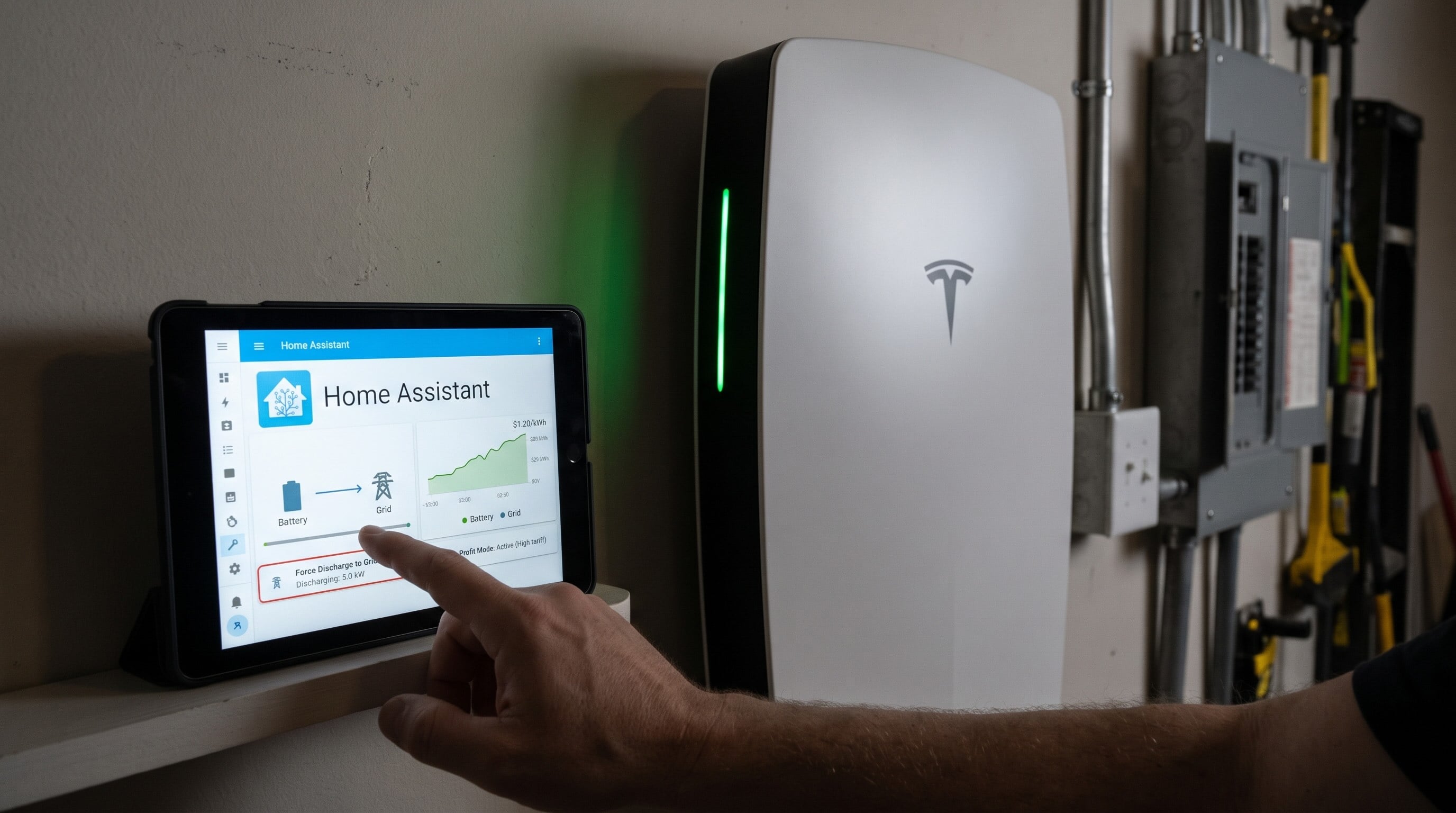
There's one thing Powerwall owners have wanted for a long time that Tesla has never offered: a way to just tell the battery to charge or discharge. Tesla's app and the Fleet API let you change settings like the operation mode, the backup reserve and your tariff, but there is no command to charge or discharge. If you wanted the battery to charge from the grid when power was cheap, or export when it was expensive, you had to change modes or upload a fake tariff and hope the Powerwall made the decision you wanted.
That changes now. For the first time, customers can force charge and force discharge their Powerwall, at a power they choose, for as long as they choose, using Home Assistant locally. It came together in a few days, on top of a year of groundwork from people across the community, so here's how it happened.
It started with Tesla-API and pypowerwall
Sending any command to a Powerwall on your local network starts with the gateway trusting you. Matthew1471's Tesla-API project worked out the RSA key pairing behind that trust, and back in November 2025 its protobuf documentation identified, but never implemented, the gateway's dispatch battery power command, the one this whole post is about.
Jason Cox's pypowerwall built on that research, crediting Matthew1471 for the key pairing discovery, and in February 2026 added the signed "v1r" local connection used to send commands. A lot of local Powerwall projects stand on that work, PowerSync and Teslemetry's aiopowerwall among them.
It was hiding in tesla-protocol
Back in July 2026 I published tesla-protocol, an open set of Tesla protobuf definitions discovered by the community and observed in our own reasearch. The repository primarily covers Tesla vehicles, but also including the messages the Powerwall gateway speaks locally. Without realising it at the time, it has the full definition of the timed battery command, TEGAPIDispatchBatteryPowerRequest: a power in watts and a duration in seconds, or a request to resume normal operation.
It was buried in a large set of other commands that I didn't have time to focus on, so what's even more exciting about this discovery is that there is likely much more capability just waiting to be unlocked for local Powerwall control.
PowerSync brought it to customers
bolagnaise builds PowerSync, a Home Assistant integration for syncing electricity prices and optimising home batteries. Scotty (cool.scotty), a member of the PowerSync (and Teslemetry) Discord, was the first to try the command on a real gateway and found that it worked: charge or discharge at a set power for a set time, after which the Powerwall goes back to normal by itself. bolagnaise then built it into PowerSync.
On October 23, PowerSync v2.12.1468 shipped local Force Charge, Force Discharge and Smart Optimisation using those direct gateway power commands, making PowerSync the first Home Assistant integration to offer it. It was tested on a Powerwall 3, and PowerSync customers have been testing and iterating on this over the days since its release.
Fast following
The same day PowerSync shipped, I added the command to aiopowerwall, our async take on pypowerwall that powers Teslemetry's local Powerwall support, built from our existing published definitions (#28). Then I tested it on my own Powerwall 3 (#29). Within a few seconds of the command the battery went from charging on solar to the power I asked for, discharging worked the same way, and when the time ran out the Powerwall returned to normal operation on its own. A resume command hands control back early, and sending a new command replaces the old one. It works.
Coming to Home Assistant
The Teslemetry integration in Home Assistant already supports local Powerwall control. Two new actions build on it, and the pull request (#188303) has been merged into Home Assistant core:
- Teslemetry: Dispatch battery power charges or discharges the Powerwall at a set power, in watts, for a set time, in seconds. A positive value discharges, a negative value charges, and when the time is up the Powerwall returns to its normal operation by itself.
- Teslemetry: Resume battery operation ends a dispatch early and hands control straight back to the Powerwall.
# Charge at 5 kW for 30 minutes
action: teslemetry.dispatch_battery_power
data:
  device_id: 0d462c0c4c0b064b1a91cdbd1ffcbd31
  power: -5000
  duration: 1800
Both actions go straight to the gateway over your local network, so your energy site needs to be paired for local control first. Your Powerwall still applies its own backup reserve and grid limits, and the action needs gateway firmware that supports battery dispatch. So far it has only been tested on Powerwall 3.
This will arrive in the Home Assistant 2026.11 release. If you don't want to wait, the actions are already in the Teslemetry HACS beta, so you can try them today.
Install the HACS betaAs far as I know, Home Assistant is the only consumer platform in the world that can force charge and force discharge a Tesla Powerwall. Charge from the grid when prices go negative, or export during a demand response event, all from an automation you control. I can't wait to see what you build with it.
Thank you
This is what happens when people share what they learn. Thank you to:
- Matthew1471, whose Tesla-API work gave us the RSA key pairing research and first documented the dispatch battery power command.
- Jason Cox and everyone working on pypowerwall, for the local groundwork.
- Scotty, a customer we're lucky to share with PowerSync, for being the first to try the command and test it.
- bolagnaise, for getting it into customers' hands in PowerSync.
- @gjohansson-ST, for reviewing and merging it into Home Assistant.
- The entire Home Assistant core team, for all the hard work that goes into maintaining that project.
- Finally, my Teslemetry customers. Without your support of Teslemetry, none of this research and development would be possible.
As always, let me know how it goes on Discord.