%20--%3e%3cdefs%20id='defs1'%3e%3cstyle%20id='style1'%3e%20.st0%20{%20fill:%20%233d6db5;%20}%20.st1%20{%20fill:%20%231c3b6b;%20}%20.st2%20{%20fill:%20%23fff;%20stroke:%20%23231f20;%20stroke-miterlimit:%2010;%20stroke-width:%20.2px;%20}%20.st3%20{%20fill:%20%23a0bddf;%20}%20%3c/style%3e%3c/defs%3e%3cg%20id='g5'%20style='display:inline'%20transform='translate(-40.6,-37.6)'%3e%3cpolygon%20class='st0'%20points='138.3,37.6%20206.8,105.9%20402.6,105.7%20343.3,165%20206.5,165%20138.4,233.1%2040.6,135.4%20'%20id='polygon4'%20/%3e%3cpolygon%20class='st0'%20points='359.5,203.5%20427.6,135.3%20525.4,233.1%20427.7,330.9%20359.2,262.5%20163.1,262.8%20222.6,203.5%20'%20id='polygon5'%20/%3e%3c/g%3e%3c/svg%3e)
%20--%3e%3cdefs%20id='defs1'%3e%3cstyle%20id='style1'%3e%20.st0%20{%20fill:%20%233d6db5;%20}%20.st1%20{%20fill:%20%231c3b6b;%20}%20.st2%20{%20fill:%20%23fff;%20stroke:%20%23231f20;%20stroke-miterlimit:%2010;%20stroke-width:%20.2px;%20}%20.st3%20{%20fill:%20%23a0bddf;%20}%20%3c/style%3e%3c/defs%3e%3cpath%20class='st0'%20d='m%20177.7,11.4%20h%20-59.5%20v%2073.9%20h%2059.5%20V%2072.5%20H%20131.8%20V%2024.2%20h%2045.9%20z%20m%20-7.9,43.3%20V%2041.9%20h%20-24.7%20l%20-4.3,12.8%20h%2029.1%20z%20M%20247.3,42.2%20C%20237.2,39%20228,36.7%20228,29.7%20c%200,-7%205,-7.7%2015.3,-7.7%2010.3,0%2014.9,2.3%2022.5,6.6%20L%20272.5,18%20C%20262.8,12.4%20254,9.9%20244,9.9%20c%20-10,0%20-17.4,2%20-22.7,5.8%20-4.9,3.6%20-7.4,8.6%20-7.4,14.5%200,14.9%2014.4,19.4%2027.2,23.4%209.8,3.1%2018.8,5.6%2018.8,12.4%200,6.8%20-6.6,8.7%20-16.7,8.7%20-10.1,0%20-16.4,-2.6%20-23.9,-6.8%20l%20-6.9,10.9%20c%209.7,5.6%2019.3,8.2%2030.2,8.2%2016,0%2031.4,-5.5%2031.4,-21.9%200,-16.4%20-14.2,-18.9%20-26.6,-22.8%20z%20m%2078.1,-30.8%20h%20-13.6%20v%2051.9%20l%2013.6,-4.6%20V%2011.5%20Z%20m%2038.2,73.8%20V%2072.4%20h%20-51.9%20v%2012.8%20z%20m%2095,-73.8%20h%20-59.5%20v%2073.9%20h%2059.5%20V%2072.5%20H%20412.7%20V%2024.2%20h%2045.9%20z%20m%20-7.9,43.3%20V%2041.9%20H%20426%20l%20-4.3,12.8%20h%2029.1%20z%20M%20564.9,11.4%20537.1,52.7%20507.7,11.4%20h%20-10.5%20v%2073.9%20h%2013.6%20V%2037.2%20l%2022.6,31.9%20h%207.5%20l%2038.7,-57.7%20h%20-14.8%20z%20m%20-0.4,73.8%20H%20578%20V%2031.3%20L%20564.5,51.5%20Z%20M%20679.6,11.4%20h%20-59.5%20v%2073.9%20h%2059.5%20V%2072.5%20H%20633.7%20V%2024.2%20h%2045.9%20z%20m%20-7.9,43.3%20V%2041.9%20H%20647%20l%20-4.3,12.8%20h%2029.1%20z%20M%20778.6,24.2%20V%2011.4%20h%20-65.3%20v%2012.8%20z%20m%20-39.4,61%20h%2013.5%20V%2032.4%20L%20739.2,37%20Z%20M%20853.5,24.9%20h%200.1%20c%206.8,0%2012.2,5.4%2012.2,11.9%200,6.5%20-7.3,14.2%20-18.4,14.2%20h%20-10.5%20l%2029.3,34.2%20h%2016.9%20L%20861.5,60.1%20c%2010.6,-3.2%2017.9,-12.4%2017.9,-23.2%200,-10.8%20-11.5,-25.5%20-25.8,-25.5%20h%20-38.9%20v%2073.9%20h%2013.6%20V%2025%20h%2025.1%20z%20M%20981.4,11.4%20957.5,46.7%20949.7,35.2%20965.9,11.4%20Z%20M%20951.3,74.5%20V%2053.1%20L%20923.2,11.4%20h%20-15.5%20l%2030,44.5%20V%2074.6%20L%20926.9,85.4%20944.5,103%20962.1,85.4%20951.3,74.6%20Z%20M%2055.5,85.2%20H%2041.9%20V%2032.3%20H%2055.5%20Z%20M%2028.3,10.8%2017.5,0%200,17.5%2017.5,35%2028.3,24.3%20h%2048.5%20l%204.6,-13.5%20z'%20id='path1'%20/%3e%3c/svg%3e)
Talk to your Tesla

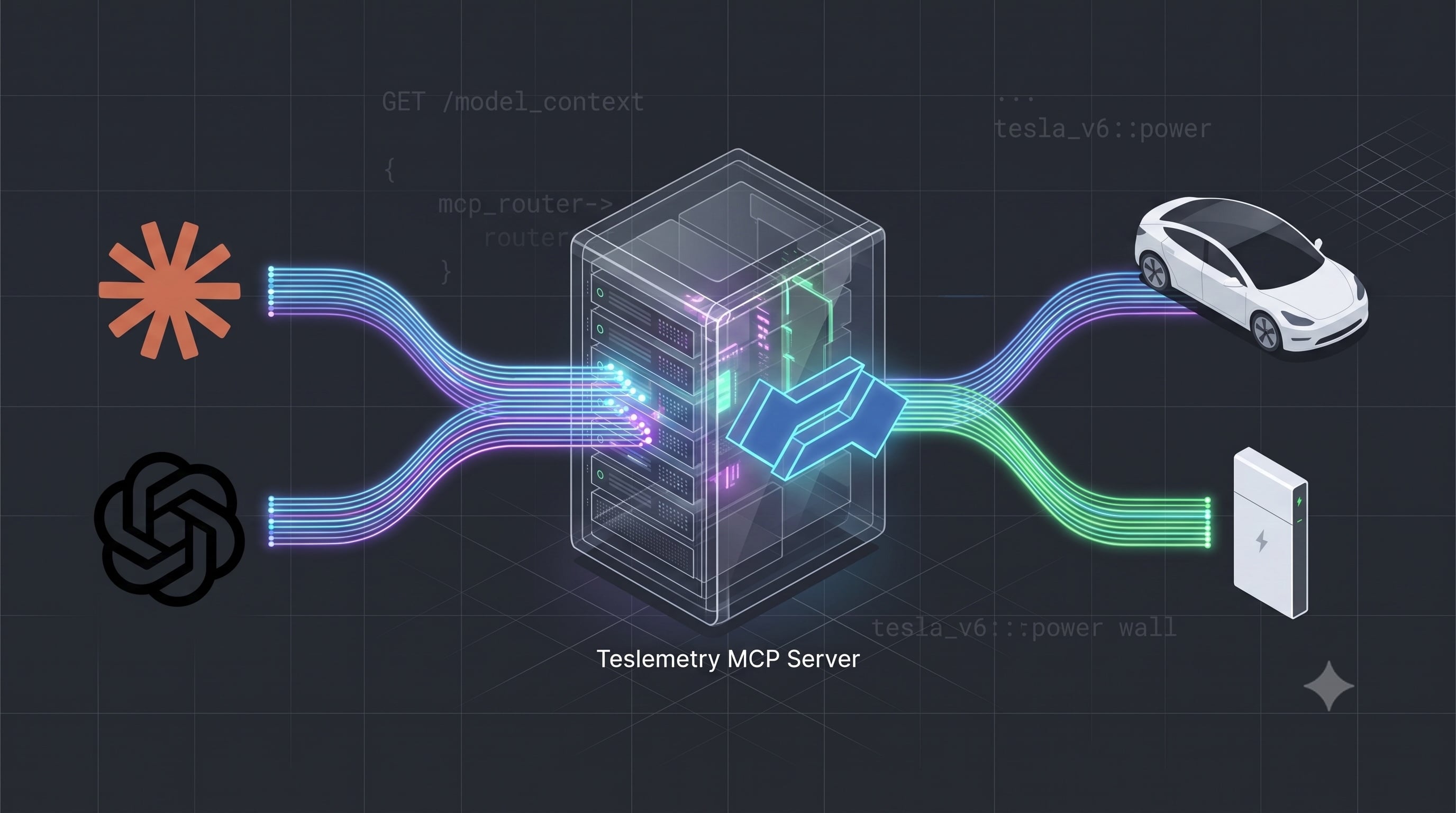
AI assistants have gotten very good at doing things, not just talking about them. The missing piece has always been giving them safe, structured access to the services you actually use. For Teslemetry, that piece is now in place: there's a hosted Model Context Protocol (MCP) server, and you can connect it to Claude, ChatGPT, or any other AI Agent that supports MCP to read and control your Tesla products in plain language.
Ask "What's the battery level on my Model 3?", or "Precondition the car to 21°C before I leave", or "Switch my Powerwall to backup mode" — and your assistant talks to your Tesla through Teslemetry.
One endpoint, every agent
The server is hosted and always up to date at a single URL:
https://api.teslemetry.com/mcp
There's no software to install and nothing to run locally. It uses the Streamable HTTP transport, so any client that supports remote MCP servers can connect — Claude, ChatGPT, Cursor, VS Code, and the rest — all from the same endpoint. It also routes automatically to the correct regional cluster for your account, so you don't have to think about where your data lives.
One-click sign-in, no tokens to copy
Connecting an MCP server has historically meant generating a token, pasting it into a config file, and hoping you didn't leak it. Teslemetry supports OAuth 2.0 with Dynamic Client Registration and PKCE, which means compatible clients register themselves and walk you through a consent screen automatically. You enter the URL, click connect, approve access at teslemetry.com/connect, and you're done.
For unattended agents — the kind you build yourself and run without a human watching — you can still pass a Teslemetry access token as a bearer header instead. Both paths are covered in the docs.
Read without waking
The MCP tools have been designed with cost in mind, so all data reading is done without polling. The products and get_vehicle_telemetry tools are served entirely from cache, so your assistant can check your battery, charging state, or which products you own without waking the car and without spending a single credit. Every value is stamped with when it was received, so the agent knows how fresh the data is.
Only send_command and related command tools send commands through to your vehicle. These are the ones that can wake a sleeping vehicle and consume credits — and they're clearly marked as such, both in the tool descriptions the agent sees and in the Tools & Safety reference.
You are handing over the keys
I want to be direct about this. An agent connected over MCP has the same control over your Tesla products that you do. It can lock doors, start charging, change your charge limit, and switch your Powerwall between modes. There is no separate read-only mode at the connection level.
So only connect agents and accounts you trust, keep command approvals enabled wherever your client supports them, and treat any access token like a password. If you want an assistant that can only read, disable the send_command tool on the client side.
Getting started
The docs walk through each client in a couple of minutes:
- Connect Claude — Claude Desktop, claude.ai, Claude Code, and the Agent SDK
- Connect ChatGPT — connectors and the OpenAI API
- Other clients — Cursor, VS Code, and anything else that speaks MCP
- Tools & safety — exactly what an agent can do, and what it costs
Agents writing software
Teslemetry has always had a complete OpenAPI specification and TypeScript library, but as part of this work Teslemetry's API documentation is now also published as llms.txt, so your agentic coding harness like Claude Code or Codex can more easily pull in accurate, up-to-date context about how the API platform works in a context efficent manner.